Projects
A project is an independent annotation job: a data folder (or a prefix in an S3 bucket), its settings, its members with their roles, its history and its revision notes. Users only see the projects they take part in.
Server admins manage all projects under their name → Projects. Every signed-in user with a role can create projects there too and is the project admin of each project they create. Project admins manage the members and settings of their own project.
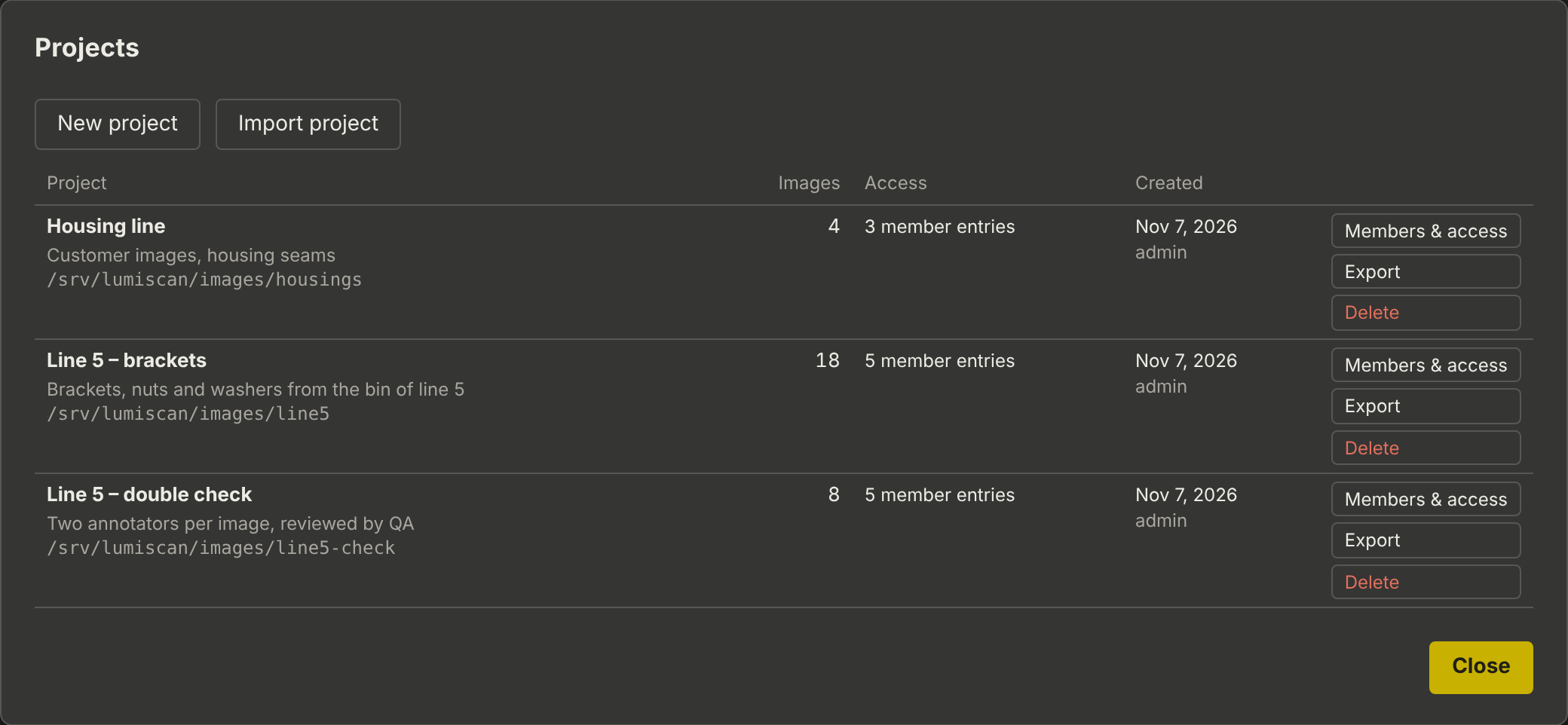
Creating a project
New project, then:
Name, description |
Shown in the project list and the top bar |
Existing folder on the server |
A folder with images, for example |
Store the files in |
Only with S3 buckets configured: a folder on the server, or S3 bucket … with a prefix, see Projects in S3 Buckets |
Open to all signed-in users |
Everyone works in the project with their server-wide roles, without being a member |
Users who are not server admins always get a new folder under projects_root; an existing folder or an S3 bucket stays with server admins. With users_may_create_projects: false in the configuration only server admins create projects. The folders admins may use can be limited with project_folders. Two projects must not share a folder.
Layout of a project folder
The images are directly in the folder, or in one level of sub-folders, typically one per day:
Line2\
    2026-10-28\
        part_001.png         the image
        part_001.csv         its boxes
        part_001.json        its save history
        .annotations\        versions of the annotators (several annotators per image)
    2026-10-29\ ...
    .lumiscan-annotation\
        settings.json        the project's shared settings (labels, ROI, ...)
This is the layout of the desktop tool; folders it used are taken over as they are. See Annotation Files.
Members and access
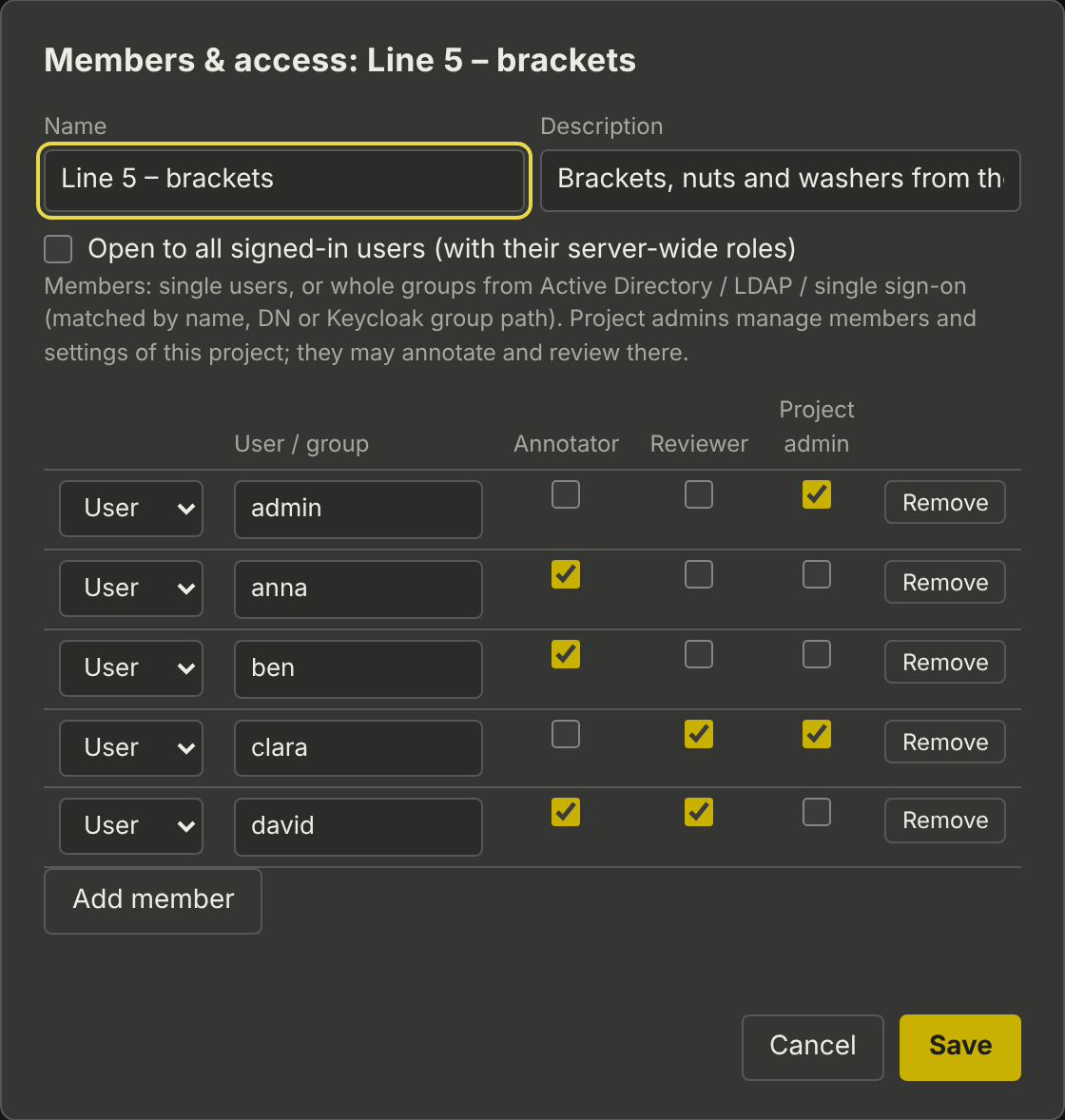
Members & access next to a project:
-
User: a server account by its user name. Group: a group of the directory or single sign-on, matched by name, full DN or the last part of a Keycloak group path.
-
Roles per member: Annotator, Reviewer, Project admin. A person in several entries gets all their roles.
-
Directory and single sign-on users added by group get access at their first sign-in.
-
You cannot remove your own project admin role, so a project always keeps an admin.
Exporting and importing
Export downloads the project as one file <name>.lumiscan-project.tar, a plain tar archive (readable with Windows' tar.exe, 7-Zip or any Linux system):
|
name, description, members (no passwords), export time and user |
|
the project’s settings |
|
images, CSV and JSON files byte for byte, and the annotators' versions |
|
revision notes |
|
every saved version (optional) |
Import project uploads such a file in 8 MB pieces, with a progress bar, so projects of several gigabytes work. It creates an independent project in a new folder under projects_root (or in a bucket). Members are kept and apply when those users sign in on this server. Paths in the archive are checked: nothing can be written outside the new project folder.
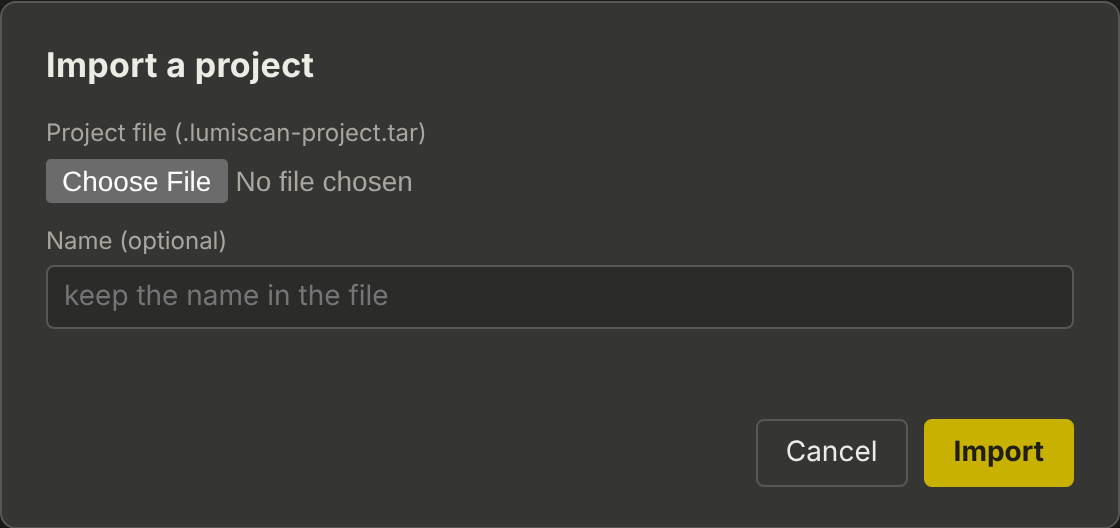
Typical use: a customer exports a project and sends it to HD Vision Systems for expert annotation; the annotated project comes back the same way.
Cloning a project
Clone next to a project starts a new project from an existing one, for example a second annotation round on the same images or a new label set. Project admins of the project can clone it.
-
The clone always gets the settings, with the labels.
-
Also the images, shared with …: the clone uses the same stored image files as the original, without extra storage. Also the images, as independent copies: the files are copied.
-
Include existing annotations (on by default): also the annotation files, save histories, the annotators' versions and the done marks.
-
The clone gets a new folder on the server. You are its project admin; the members of the original are not taken over.
Shared images are safe: each project keeps a complete folder of its own, an image stays stored as long as one project uses it, and the server never changes an image in place. Deleting one project, or an image in it, never takes the image from the other project; the storage is only freed when the last project using it is deleted. Annotations stay apart: each project has its own. Where images cannot be shared (S3 buckets, another drive, FAT/exFAT and many network shares) they are copied, and the dialog says so.
Deleting a project
Delete removes the project from the server: its settings, members, history and notes. The image and annotation files are deleted only for folders the server created itself (on request); existing folders and buckets are never deleted. Images shared with a clone stay with the other project; before deleting, the dialog says how many there are. Project admins can delete the projects they created, server admins any project.