---
title: "LumiScan Aztec Code Reader"
description: "LumiScan Aztec Code Reader finds every Aztec code in a camera image and reports content and position to your PLC. No template or training needed."
product: "LumiScan Aztec Code Reader"
component: "lumiscan-aztec-code-reader"
version: "1.2.0"
display_version: "1.2.0.5"
latest_version: true
language: "en"
url: "https://docs.hdvisionsystems.com/en/lumiscan-aztec-code-reader/1.2.0/index.html"
---
# LumiScan Aztec Code Reader
| | | |
| --- | --- | --- |
| 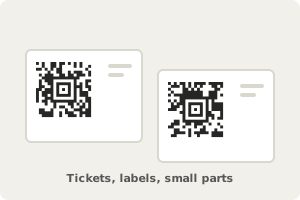
**Capture the codes.** Compact codes with a bullseye, no quiet zone needed. | 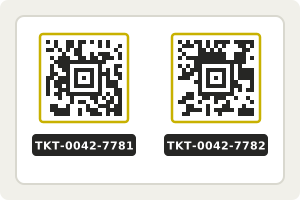
**Find and decode every code.** No template, training or setup needed. | Example result
Codes
2
Text
TKT-0042-7781
Center
512, 284 px
**Hand the result to your PLC.** Content and position of each code. |
LumiScan Aztec Code Reader finds every Aztec code in a camera image and reports what each one says and where it is. Aztec codes need no quiet zone around them, which is why they are used on airline boarding passes and rail tickets, and suit labels and small parts where there is no room to spare. The reader needs no template, training or configuration: give it the image address and run it, on ctrlX OS or a Windows or Ubuntu PC.
For licensing, see [Licence](https://docs.hdvisionsystems.com/en/lumiscan-aztec-code-reader/1.2.0/lumiscan-aztec-code-reader/requirements.html#licence). Questions? See the [FAQ](https://docs.hdvisionsystems.com/en/lumiscan-aztec-code-reader/1.2.0/faq.html). A problem or an error message? See [Troubleshooting](https://docs.hdvisionsystems.com/en/lumiscan-aztec-code-reader/1.2.0/troubleshooting.html).