---
title: "LumiScan Calibration"
description: "LumiScan Calibration converts image coordinates from LumiScan vision apps into 3D coordinates on a calibrated plane, so robots can pick and place parts."
product: "LumiScan Calibration"
component: "lumiscan-calibration"
version: "2.0.0"
display_version: "2.0.0.8"
latest_version: true
language: "en"
url: "https://docs.hdvisionsystems.com/en/lumiscan-calibration/2.0.0/index.html"
---
# LumiScan Calibration
| | | |
| --- | --- | --- |
| 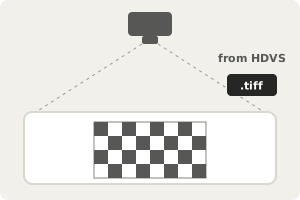
**Calibrate the work plane once.** With a calibration plate; HDVS returns a TIFF file. | 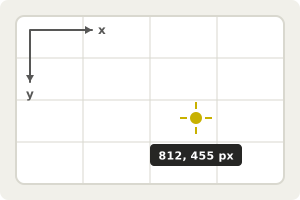
**Take a position in pixels.** For example a part found by a LumiScan vision app. | Example result
x
412.6
y
118.2
z
0.0
Module
cell-1
**Get 3D coordinates on the plane.** Ready for the robot to pick or place. |
LumiScan Calibration converts 2D image coordinates into 3D coordinates on a calibrated plane, so positions found in camera images map to real-world coordinates. You calibrate the plane once with a calibration plate; afterwards every pixel position a LumiScan vision app reports can be transformed, one point at a time or as an array. This is what robots need for bin picking and placing parts, on ctrlX OS or a Windows or Ubuntu PC.
For licensing, see [Licence](https://docs.hdvisionsystems.com/en/lumiscan-calibration/2.0.0/lumiscan-calibration/requirements.html#licence). Questions or an error message? See the [FAQ](https://docs.hdvisionsystems.com/en/lumiscan-calibration/2.0.0/faq.html).