---
title: "LumiScan VGR Engineering"
description: "LumiScan VGR Engineering configures LumiScan VGR step by step, with live camera preview and suggested settings, and exports a ready-to-use configuration."
product: "LumiScan VGR Engineering"
component: "lumiscan-vgr-engineering"
version: "1.0.0"
display_version: "1.0.0.3"
latest_version: true
language: "en"
url: "https://docs.hdvisionsystems.com/en/lumiscan-vgr-engineering/1.0.0/index.html"
---
# LumiScan VGR Engineering
| | | |
| --- | --- | --- |
| 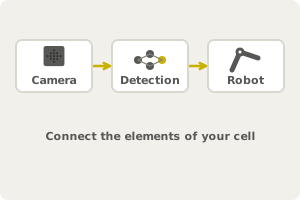
**Build your cell from elements.** Cameras, object detections and robots, connected. | 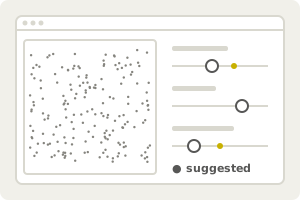
**Tune with live preview.** Only the settings that matter, with suggested values. | 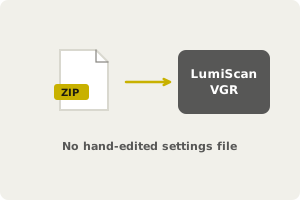
**Export for LumiScan VGR.** A configuration VGR reads directly. |
LumiScan VGR Engineering is the guided configuration tool for LumiScan VGR, so you do not edit the settings file by hand. You connect cameras, object detections and robots as elements; the tool shows the settings that matter, previews their effect on the live image and point cloud and suggests sensible values. It exports the configuration in the format LumiScan VGR reads. For commissioning a cell, changing a camera or gripper, or adding an object.
LumiScan VGR Engineering is the configuration tool for LumiScan VGR. You describe your application as elements - cameras, object detections, robots - connect them, check each one in a live preview and export the result as a settings file that LumiScan VGR uses directly.
## Where to start
| You want to | Read |
| --- | --- |
| know what the tool does and how it fits in with LumiScan VGR | [Description](https://docs.hdvisionsystems.com/en/lumiscan-vgr-engineering/1.0.0/description.html) |
| set up the IPC and the camera, install the software | [System Requirements](https://docs.hdvisionsystems.com/en/lumiscan-vgr-engineering/1.0.0/system-requirements.html), [Installation](https://docs.hdvisionsystems.com/en/lumiscan-vgr-engineering/1.0.0/installation.html) |
| build your first configuration from camera to exported settings | [Getting Started](https://docs.hdvisionsystems.com/en/lumiscan-vgr-engineering/1.0.0/getting-started.html) |
| find your way around the window | [User Interface](https://docs.hdvisionsystems.com/en/lumiscan-vgr-engineering/1.0.0/user-interface.html) |
| know what a camera, object detection or robot element contains | [Configuration Elements](https://docs.hdvisionsystems.com/en/lumiscan-vgr-engineering/1.0.0/elements.html) |
| look up a quick answer or an error message | [FAQ](https://docs.hdvisionsystems.com/en/lumiscan-vgr-engineering/1.0.0/faq.html) |
For licensing, see [Licence](https://docs.hdvisionsystems.com/en/lumiscan-vgr-engineering/1.0.0/system-requirements.html#licence). The settings that LumiScan VGR Engineering produces are described in the [LumiScan VGR manual](https://docs.hdvisionsystems.com/en/lumiscan-vgr/1.8.4/json-settings.html).