LumiScan Template Finder
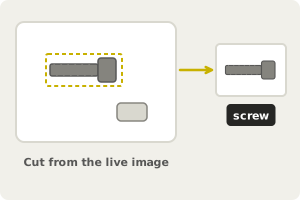
Cut a template from the image. A small picture of the part, taken from the live camera image. |
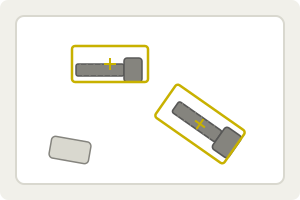
Find it, turned or scaled. The part is found within the rotation and scale range you set. |
Hand the result to your PLC. Position, confidence, scale and rotation of each match. |
LumiScan Template Finder locates a known part in a camera image from a small picture of it, the template, and reports where the part is, how confident the match is, and the scale and rotation it was found at. Templates are cut straight from the live camera image, with no file transfer or image editor. Typical uses are presence checks, position feedback for a robot pick and orientation checks before an assembly step, on ctrlX OS or a Windows or Ubuntu PC.
LumiScan Template Finder runs on ctrlX OS (ctrlX CORE or ctrlX IPC) with the ctrlX Data Layer, and on a PC (Windows 11 or Ubuntu 24.04) with LumiScan Keryx. This manual covers both; where they differ, it says so.
For licensing, see Licence. Questions? See the FAQ. A problem or an error message? See Troubleshooting.