LumiScan Annotation Web

Annotate in the browser. Oriented boxes as center-line rectangles in three clicks, by any number of people at once. |
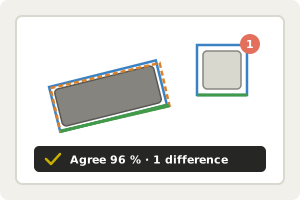
Check the quality. Compare annotators, review the differences, see the agreement. |
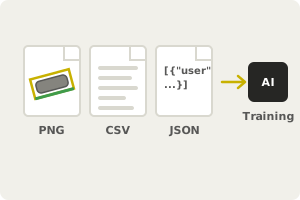
Train your network. The boxes are saved as CSV next to each image, ready for LumiScan Training. |
LumiScan Annotation Web is the browser version of LumiScan Annotation. A server on Windows or Linux holds the images and the annotations; annotators only need a web browser and sign in with a local account, the company directory or single sign-on. Work is organised in projects with their own images, members and settings. Several annotators can annotate the same image independently: the server compares their boxes, writes the reference when they agree and shows reviewers where they differ. Box suggestions from your trained networks speed up the work. The files are exactly those of the desktop tool, so LumiScan Training reads them unchanged.
To get started, see Annotate Your First Images. Installing the server: Before Installation. Questions or an error message? See the FAQ and Troubleshooting.
In this manual
Description – What LumiScan Annotation Web does: oriented boxes in the browser, projects, roles, several annotators per image, box suggestions, history and notes.
Requirements – Requirements of LumiScan Annotation Web: server operating system, browsers, storage, network ports and the optional GPU computer for box suggestions.
FAQ – FAQ on LumiScan Annotation Web - desktop tool and files, browsers, HTTPS, several annotators, notes, undo, box suggestions, access, export and backups.
Troubleshooting – Solutions for LumiScan Annotation Web problems: sign-in, read-only images, conflicts, missing projects or images, S3 errors, box suggestions, server start.