User Interface
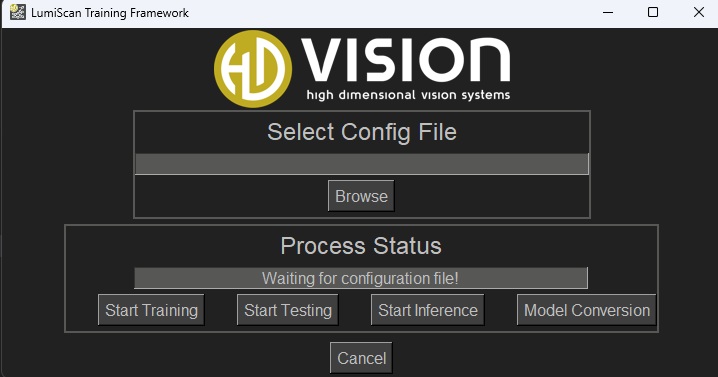
After starting the program, the standard user interface opens (Fig. 10).
The elements of the user interface are described in Table 1.
| No. | Description |
|---|---|
1 |
Select Config File/Browse is used to select the configuration file. |
2 |
Process Status displays the current status of the process.
|
3 |
Start Training starts the training process using the selected configuration. |
4 |
Start Testing tests the network using the test data set specified in the configuration. The results are stored in the Export folder. |
5 |
Start Inference opens a dialog for selecting a folder containing images. The trained network is then applied to these images, and the prediction results are saved in the |
6 |
Model Conversion opens a dialog for converting a trained ONNX model to a Hailo model. See Model Conversion: ONNX to Hailo. |
7 |
Cancel interrupts an ongoing training, testing, or inference process. |
For successful training, all relevant parameters must be configured in the JSON settings beforehand. An example configuration is provided in the next section.