Requesting a Licence Update
You can add or extend licences on your LumiScan Key without sending the key in. The procedure has three steps:
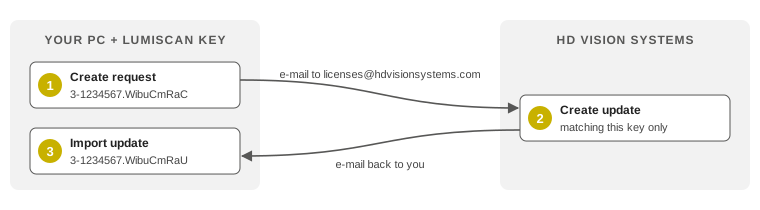
-
You create a licence request file (
.WibuCmRaC) and send it to HD Vision Systems. -
HD Vision Systems sends you a matching licence update file (
.WibuCmRaU). -
You import the update file onto the LumiScan Key.
The request file describes only the current state of your LumiScan Key. It contains no personal data and does not change your licences.
| An update file matches only the LumiScan Key and the state from which the request was created. Each update file can be imported only once. Until you have imported the update from HD Vision Systems, do not import any other licence updates onto this LumiScan Key. |
Prerequisites
-
CodeMeter Runtime is installed (see Installing CodeMeter Runtime).
-
The LumiScan Key is connected to the PC.
Creating the request in CodeMeter Control Center
-
Open CodeMeter Control Center, for example through the Windows search.
-
On the License tab, select your LumiScan Key on the left and click License Update.
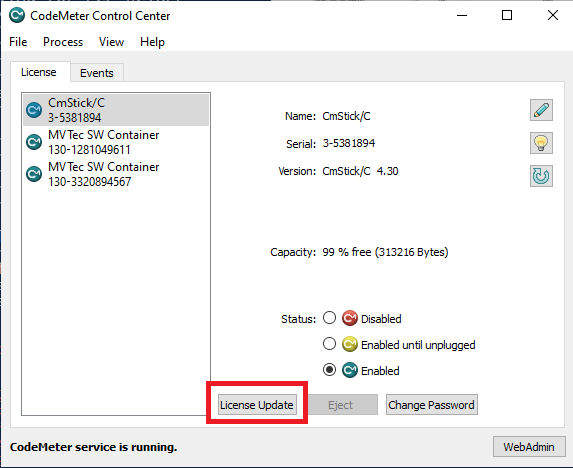
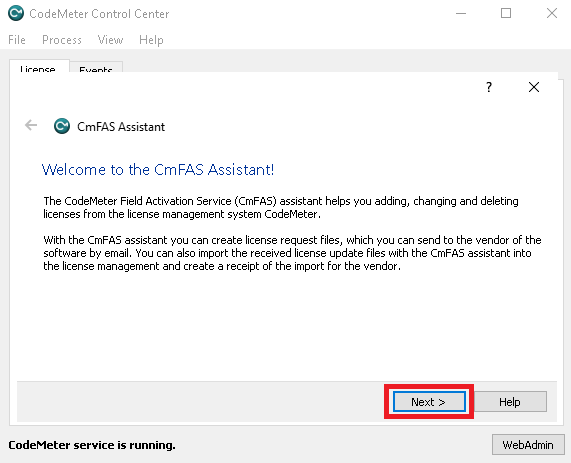
The CmFAS Assistant opens.
-
On the welcome page, click Next.
-
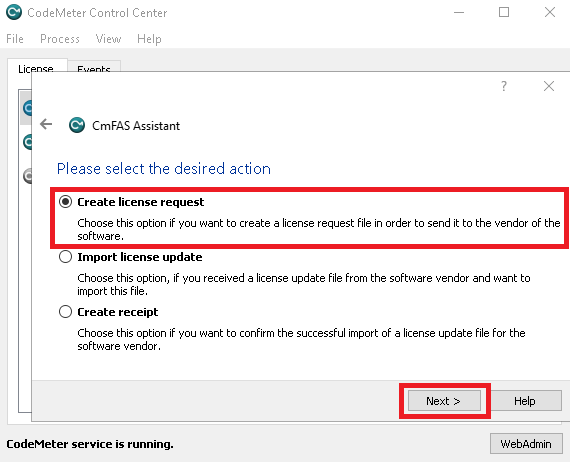
Select Create license request and click Next.
-
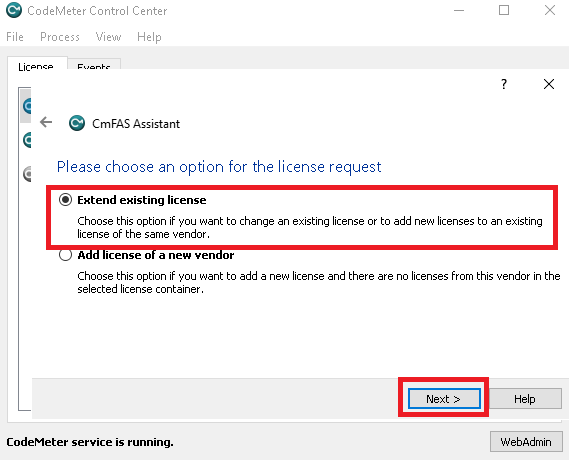
Select Extend existing license and click Next.
-
Select HD Vision Systems GmbH (6000380) and click Next.
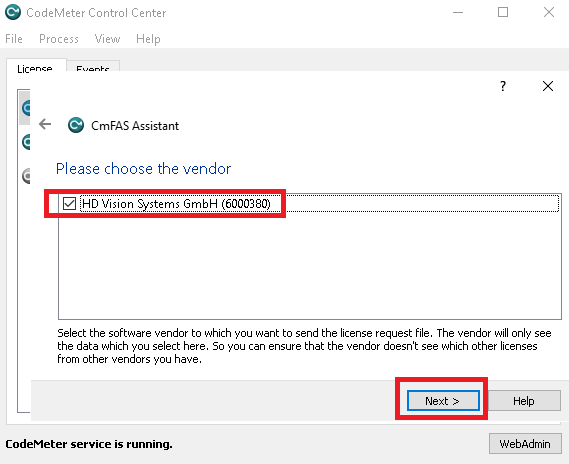
If HD Vision Systems GmbH (6000380) is not listed, you did not select the LumiScan Key in step 2. Close the assistant and start again at step 2. -
Check the location and the file name, and click Commit.
The suggested file name contains the serial number of the LumiScan Key, for example
3-1234567.WibuCmRaC. Keep this name so that the file can be matched to your key.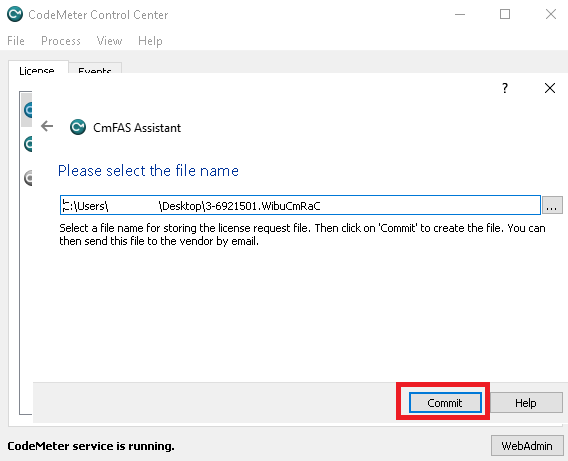
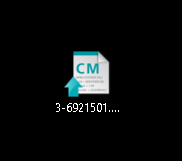
The request file is created at the location you specified.
-
Send the
.WibuCmRaCfile by e-mail to licenses@hdvisionsystems.com. In the e-mail, state your order or quotation number and the LumiScan products you want.
Creating the request on the command line
On a PC without a graphical interface, for example Ubuntu 24.04 without a desktop, use cmu. On Windows, it is called cmu32 and is available in the CodeMeter Command Prompt.
-
Show the serial number of the LumiScan Key:
cmu --list -
Create the request file. Replace
3-1234567with the serial number of your LumiScan Key:cmu --context 6000380 --serial 3-1234567 --file 3-1234567.WibuCmRaC -
Send the
.WibuCmRaCfile by e-mail to licenses@hdvisionsystems.com, as described above.