Backup and Restore
What a backup contains
A backup is one tar file with everything the server keeps apart from the images:
-
the database: accounts, group mappings, projects and members, the history of all annotations, revision notes,
-
the files of the configuration folder: configuration, secret files, certificates,
-
the folder
tlsnext to the configuration: the HTTPS certificate, so the clients keep trusting it after a restore, -
the settings of every project.
The images and annotation files are backed up with the project folders themselves (your usual file backup), or per project with the export.
| Backups contain password hashes and secrets. Store them as carefully as the server itself. |
Automatic backups
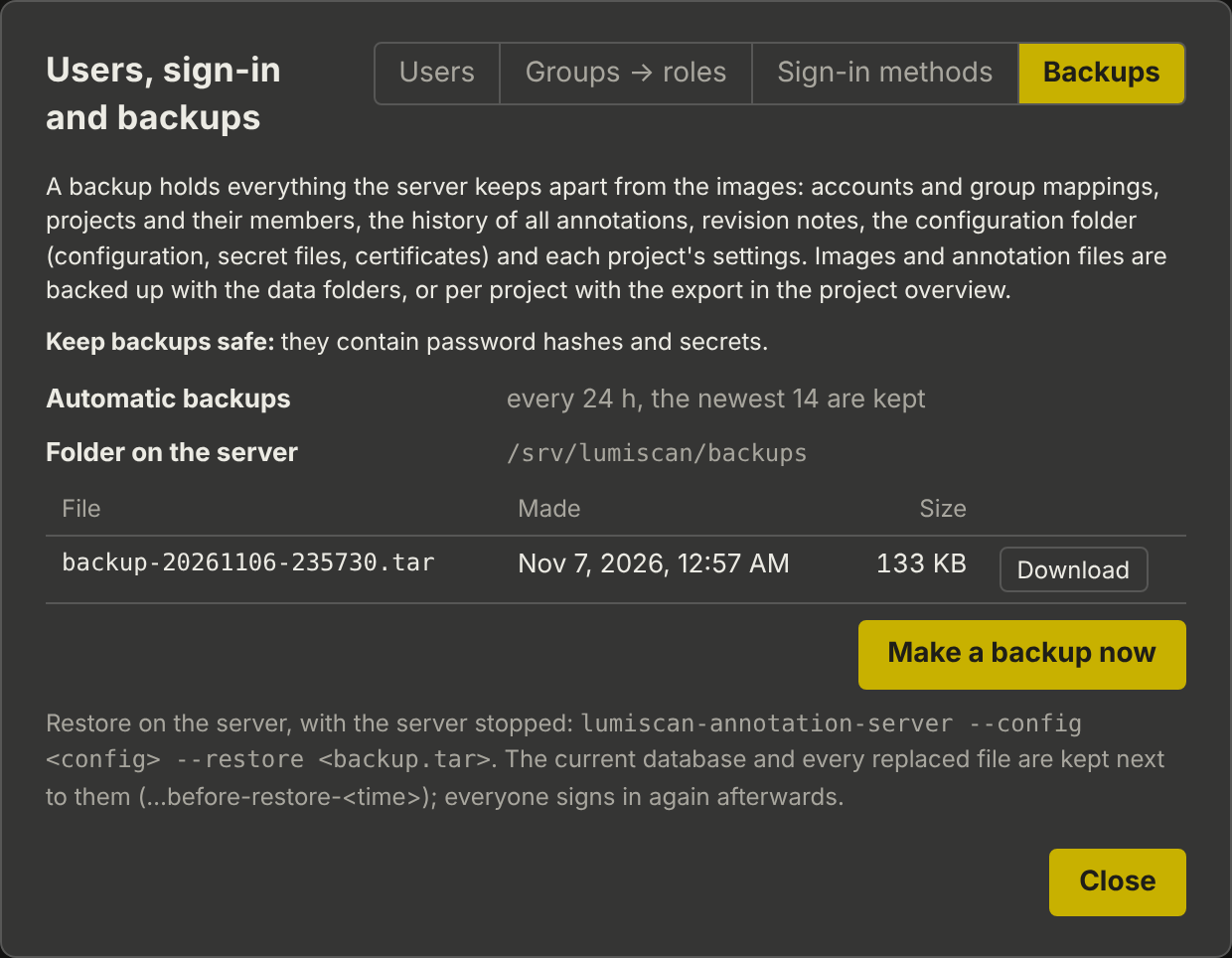
Every backup.every_hours hours (default 24) into backup.dir (default backups next to the configuration). The newest backup.keep (default 14) are kept.
In the browser
Admins: your name → Users and sign-in → Backups. The list shows the backups on the server; Make a backup now makes one, Download downloads it.
On the command line
Also while the server runs:
lumiscan-annotation-server --config <configuration> --backup D:\Backups\annotation.tarRestoring
-
Stop the server.
-
Restore:
lumiscan-annotation-server --config <configuration> --restore <backup.tar> -
Start the server.
The current database and every file the restore replaces are kept next to them as …before-restore-<time>. Sessions are not restored: everyone signs in again. The restore refuses to run while the server answers on its port (--force overrides this).