Annotate Faster with Box Suggestions
Correcting a suggested box is much faster than drawing it. With a box suggestion service, LumiScan Annotation Web asks your trained network for boxes on the open image; you only check and correct them.
The loop
-
Annotate the first few hundred images by hand.
-
Train a network with LumiScan Training.
-
Copy the exported network into the box suggestion service (see Box Suggestion Service).
-
Annotate the next images with suggestions: accept, correct, add what is missing.
-
Train again with the larger data set. Every round makes the suggestions better.
For parts without a network yet, the service can run an open-vocabulary detector that finds objects by the names of the labels.
1. Choose the network for the project
A project admin opens Settings and, under Box suggestions, chooses the Network of the project. If the service has only one network, it is used without choosing. Also set:
-
Suggest from confidence %: suggestions below are left out (default 30 %).
-
At most boxes per image: default 50.
2. Get suggestions
Open an image and click Suggest boxes (P). After a moment, the suggestions appear as dashed boxes with their confidence:
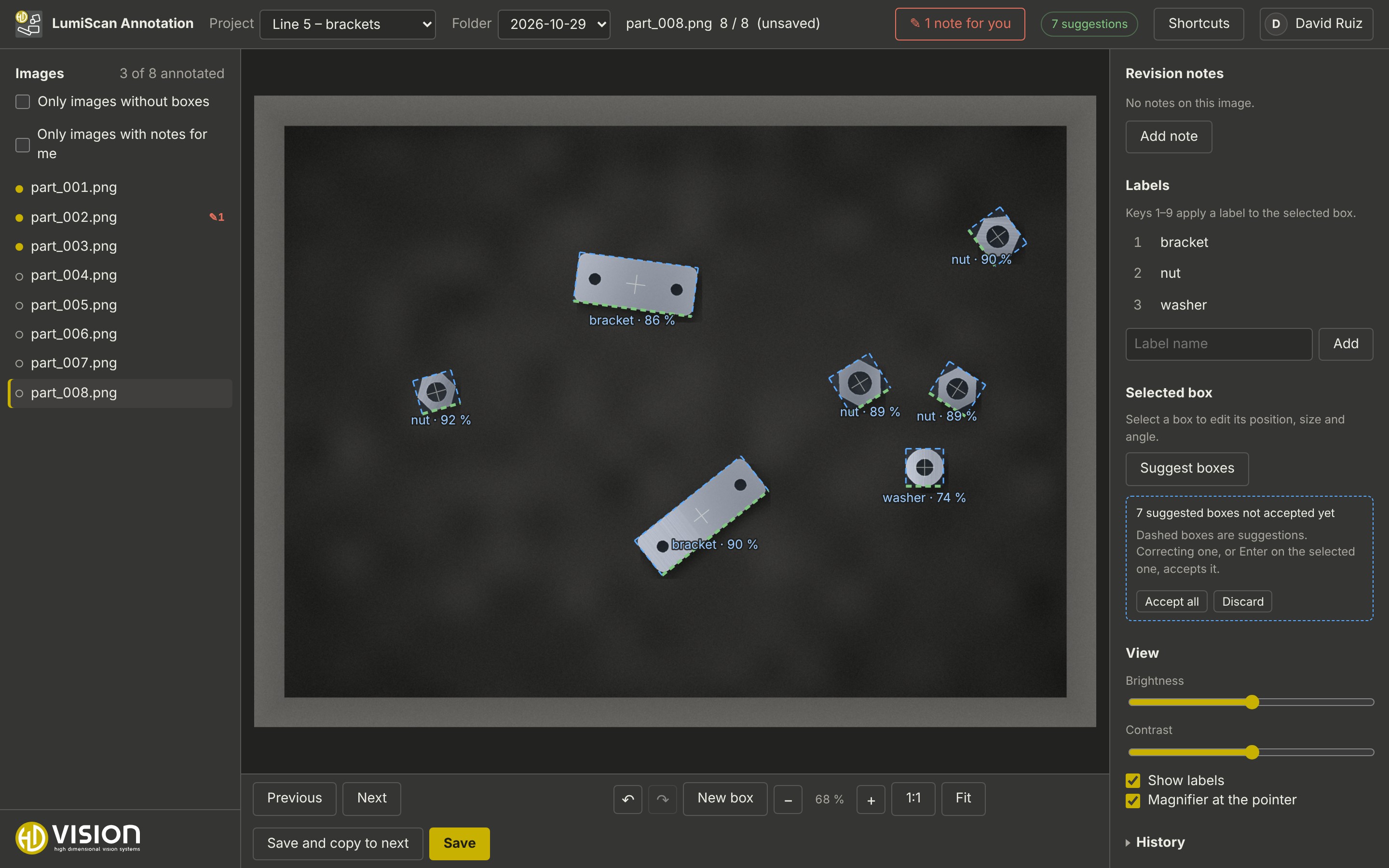
Boxes already on the image and suggestions outside the region of interest are not suggested again.
3. Accept, correct or discard
-
Correct a suggestion (move, resize, rotate, change the label): it is accepted.
-
Select a suggestion and press Enter: it is accepted as it is.
-
Right-click: it is deleted.
-
Accept all / Discard handle all remaining suggestions.
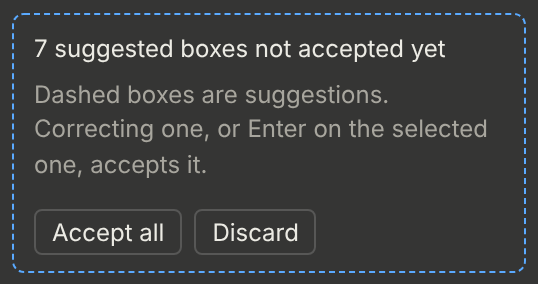
If you save with suggestions still open, you are asked whether to accept them or leave them out. Suggestions are never saved by themselves.
| Check every suggestion, also those with a high confidence. A network trained on corrected suggestions repeats its own mistakes if they are not corrected. |