PLC Settings
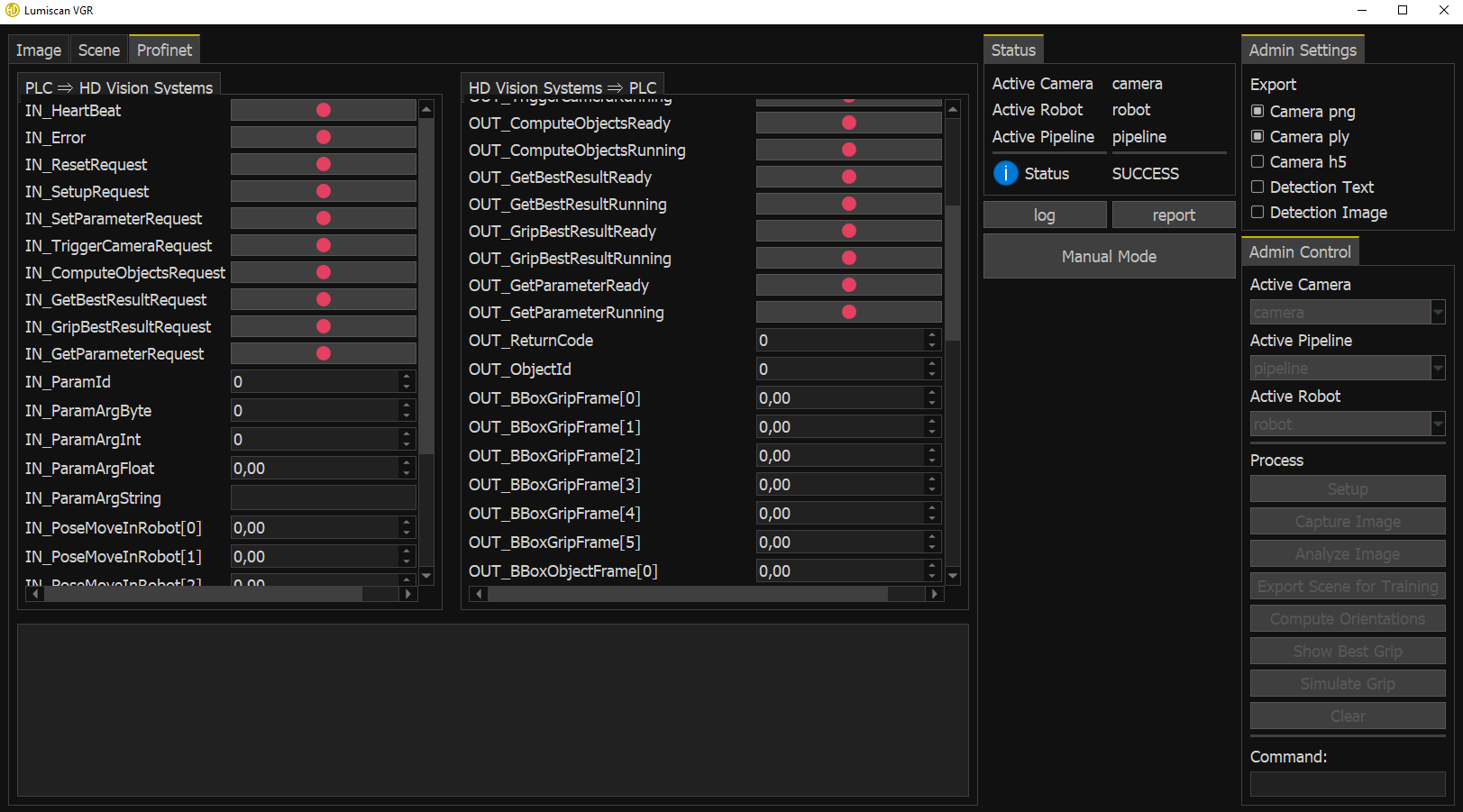
The PLC parameters are available in the PROFINET tab, which can be used to monitor the data exchanged between LumiScan VGR and the PLC.
PLC parameters can only be changed while manual mode is disabled.
Process Flow
Each process uses three variables:
-
OUT_*Ready -
IN_*Request -
OUT_*Running
The execution sequence is the same for all processes.
| Step | HD Vision Systems → PLC (OUT) | PLC → HD Vision Systems (IN) | Note |
|---|---|---|---|
1 |
Wait until |
Not applicable to reset functions |
|
2 |
Set |
||
3 |
Check |
||
4 |
Set |
||
5 |
Set |
||
6 |
Wait until |
Not applicable to reset functions |
|
7 |
Check |
Otherwise, the trigger is discarded |
|
8 |
Set |
||
9 |
Wait until |
||
10 |
Execute the requested function |
||
11 |
Set the output variables |
||
12 |
Set |
||
13 |
Set |
||
14 |
Wait until |
||
15 |
Check that the return values are valid |
||
16 |
Read the output variables |
Status Information
The result of each action is displayed in two places:
-
as a status message in the status window, for example SUCCESS
-
as a numeric value in
OUT_ReturnCodein the PROFINET tab, for example0
The available return values are listed in Table 6.
| Status | Value | Meaning |
|---|---|---|
|
0 |
No error occurred. |
|
1 |
An unknown error occurred. |
|
2 |
The currently active camera has not been initialized or does not exist. |
|
3 |
A connection to the camera could not be established. |
|
4 |
An error occurred while communicating with or acquiring data from the camera. |
|
5 |
The currently active pipeline has not been initialized or does not exist. |
|
6 |
The currently active robot has not been initialized or does not exist. |
|
7 |
Additional data required to execute the function is missing, for example recorded data or results from a previous calculation step. |
|
8 |
The specified ID does not exist. This can occur, for example, when attempting to activate a camera, pipeline, or robot that is not configured. |
|
9 |
The required coordinate transformation is not available. This can occur, for example, if hand-eye calibration data is missing for a robot-camera pair. |
|
10 |
No valid grip points are available for the active robot. |
|
12 |
Auto-exposure was unsuccessful. Trigger the camera again to capture another image. |
|
13 |
The requested exposure time cannot be reached, for example because the configured range is too short or too long for the current lighting conditions. |
Manual Mode and PLC Operation
During automatic operation, manual mode can be activated through the user interface. The operation mode then changes to OUT_OperationMode → 2.
While manual mode is active, PLC-controlled processing is paused and most processing functions cannot be started.
When manual mode is exited, the system returns to idle mode (OUT_OperationMode → 0). To resume normal operation, switch the system back to automatic mode through the PLC using OUT_SetParameter.
Projects with Multiple Components
All calculations use the currently active camera, pipeline, and robot.
If a project contains multiple cameras, pipelines, or robots, make sure the correct components are selected through OUT_SetParameter before executing a function.
For detailed information about PLC configuration, signals, and function descriptions, refer to the PROFINET Interface Description datasheets.